
Quotes, jobs, bills and the books, for a fence company that would rather be building fence.
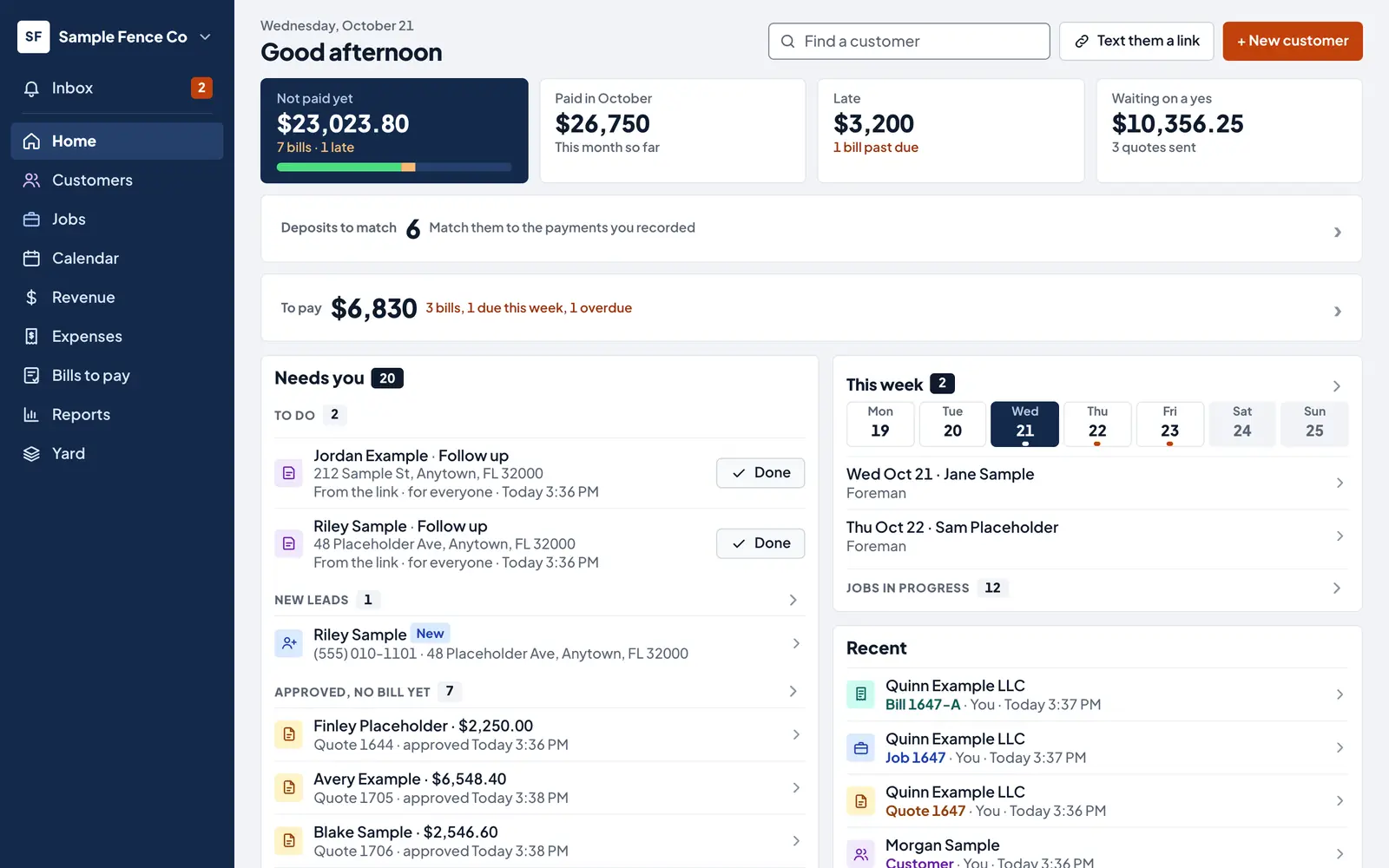
One place for the office, the owner and the crew. The customer asks, you quote, they say yes, it goes on the calendar, the bill goes out, and each check is matched to its deposit in your bank file.
Built with a Florida fence company that runs its office on it.
How a job runs
From the first call to the check in the bank
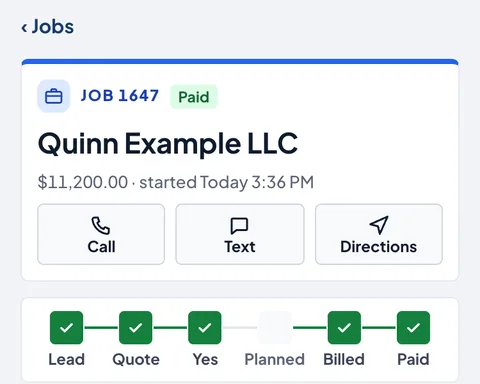
Every job shows where it stands: lead, quote, yes, planned, billed, paid.
-
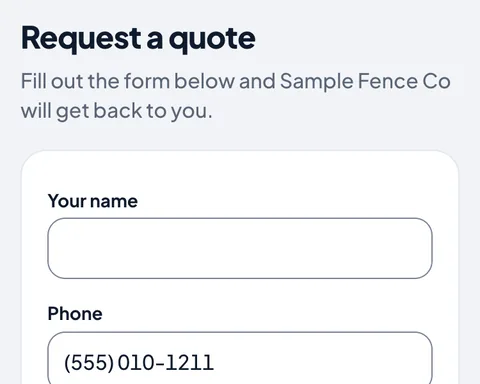
They ask for a quote
Your request link goes on your website, Facebook and cards. They fill it in from their phone and it lands on Home as a new lead.
-
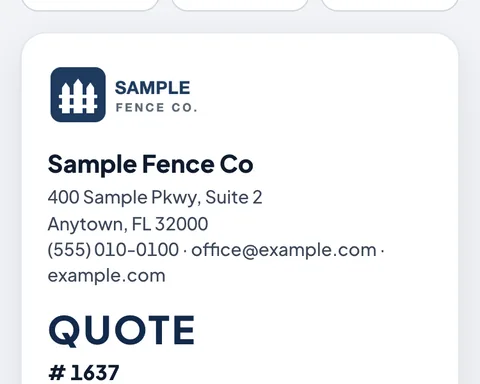
You send the quote
Priced from your list. Sent by text or email on your letterhead, with a PDF they can save.
-
They say yes
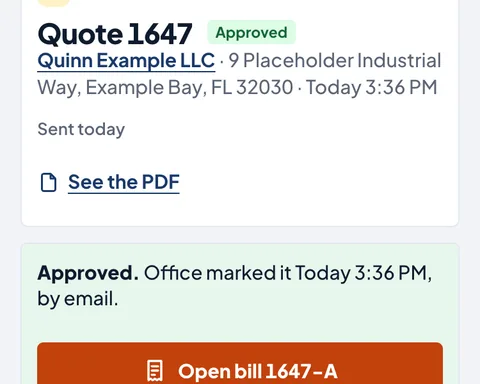
You see when they open it and when they approve. The bill is one tap from the yes.
-
It goes on the calendar
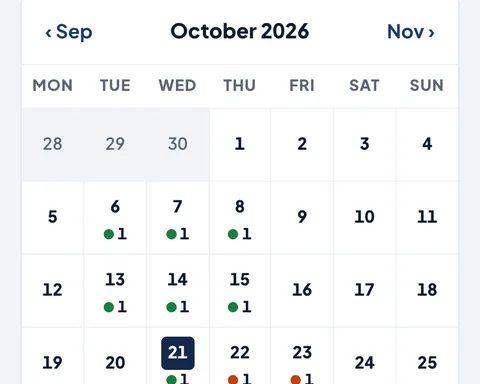
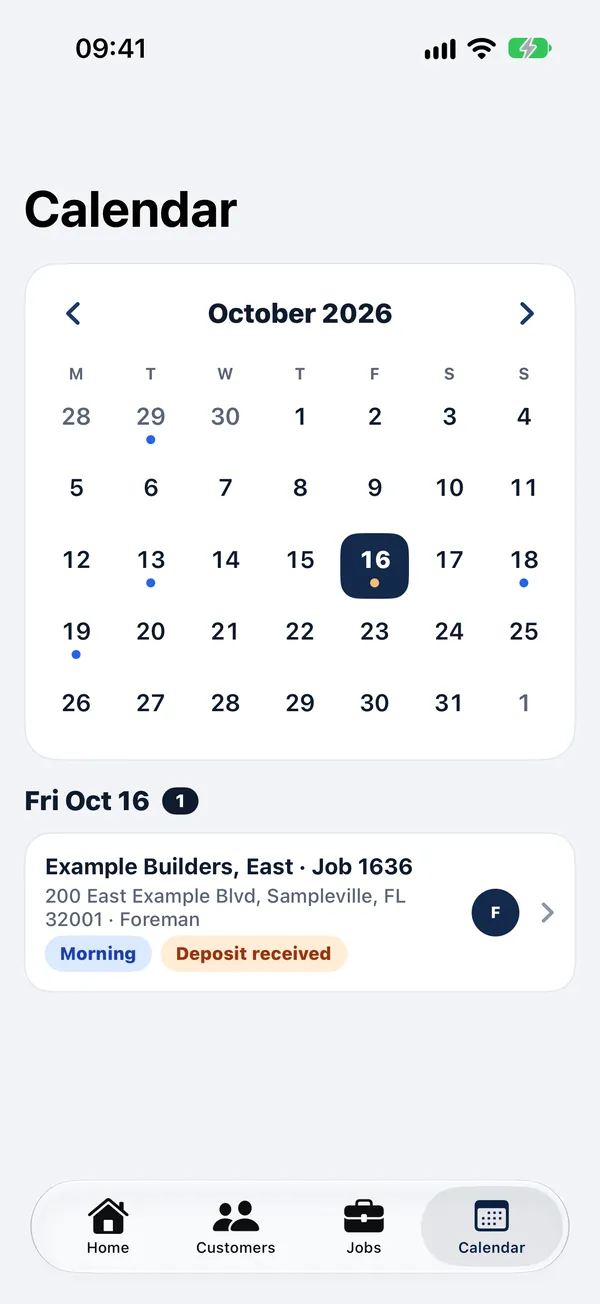
Pick the day, how many days and who has it. The crew sees it on their phone.
-
The bill goes out
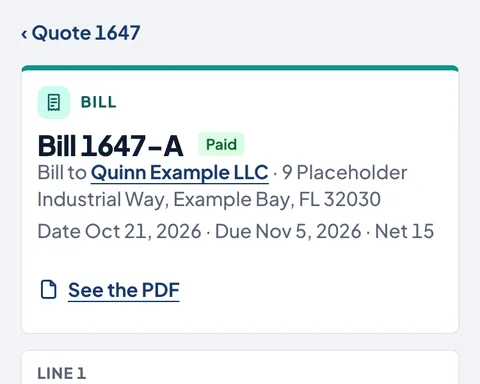
Made from the quote, with any deposit counted. Emailed with a PDF. Late bills show on Home.
-
It's paid
Record the check and its number. When the deposit shows in the bank file, match it in one tap.
For the office
The money side, kept straight
-
Bills and payments
Checks, cash and cards, with the check number. Who owes what, and what's late.
-
Deposits to match
Bring in the file from your bank's website. ClearVis lines each deposit up with the payments you recorded.
-
Expenses and bills to pay
Bank and card files sorted into categories. Vendors, due dates and the 1099 list.
-
Close the month
Once every deposit is matched and every line has a category, close it so nothing in it changes.
-
A sign-in for your accountant
They can look at everything and download the year-end reports. They can't change anything.
-
QuickBooks Online
Customers, bills and payments stay matched with QuickBooks, both ways.
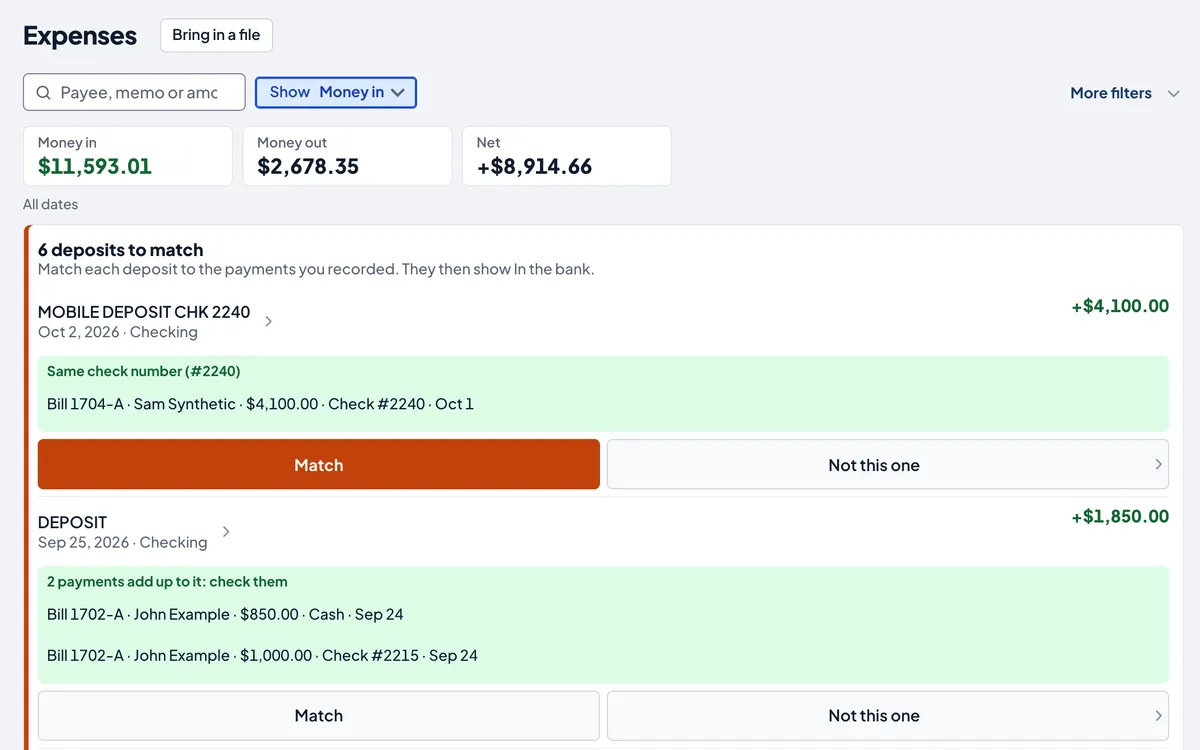
Deposits from the bank file, each lined up with the check it came from.
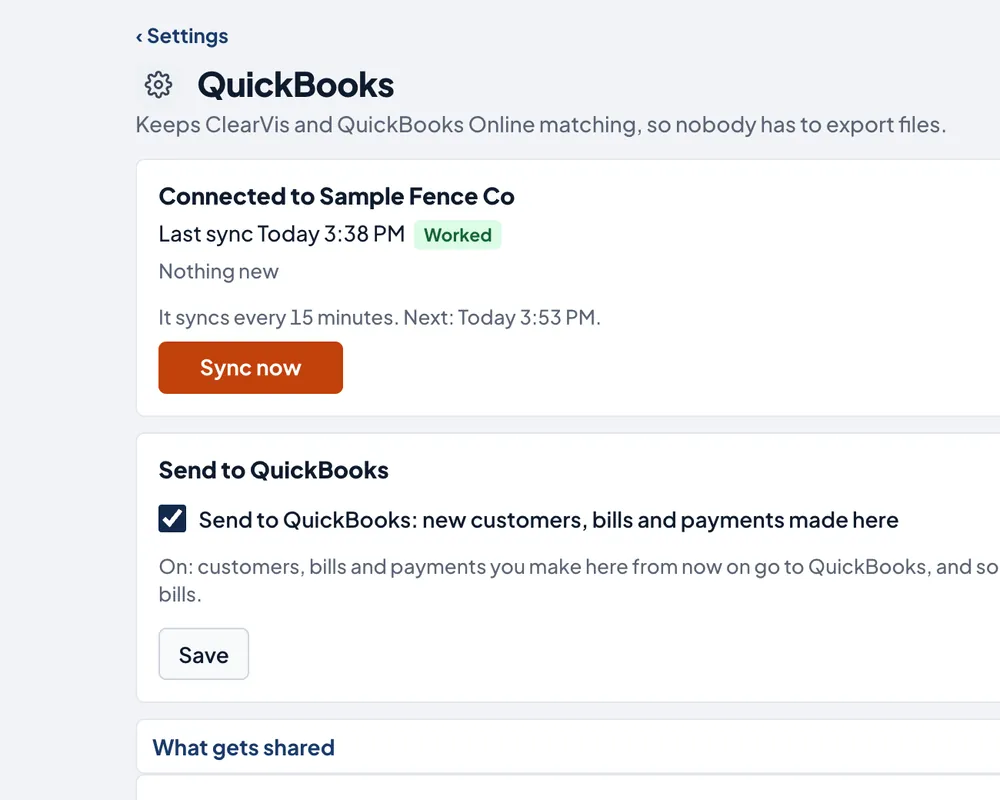
Settings › QuickBooks.
For the owner
Know what a job left you
-
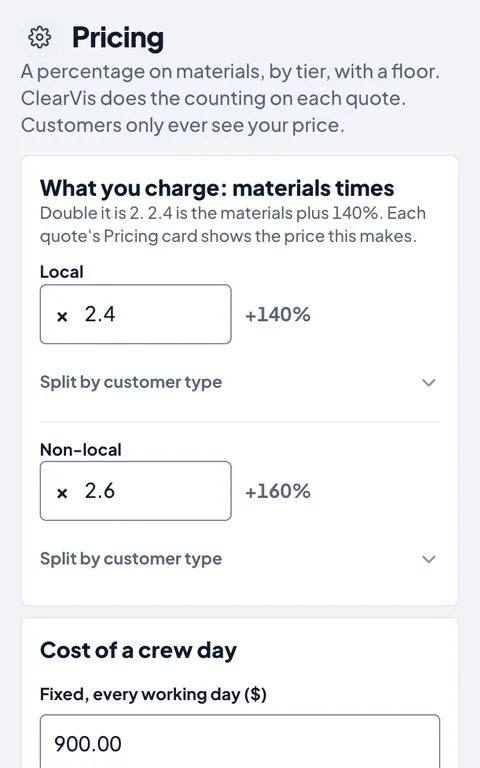
Pricing by percentage
Materials times your markup, local or not, residential or commercial, with a floor no quote goes under. The customer sees one plain price.
-
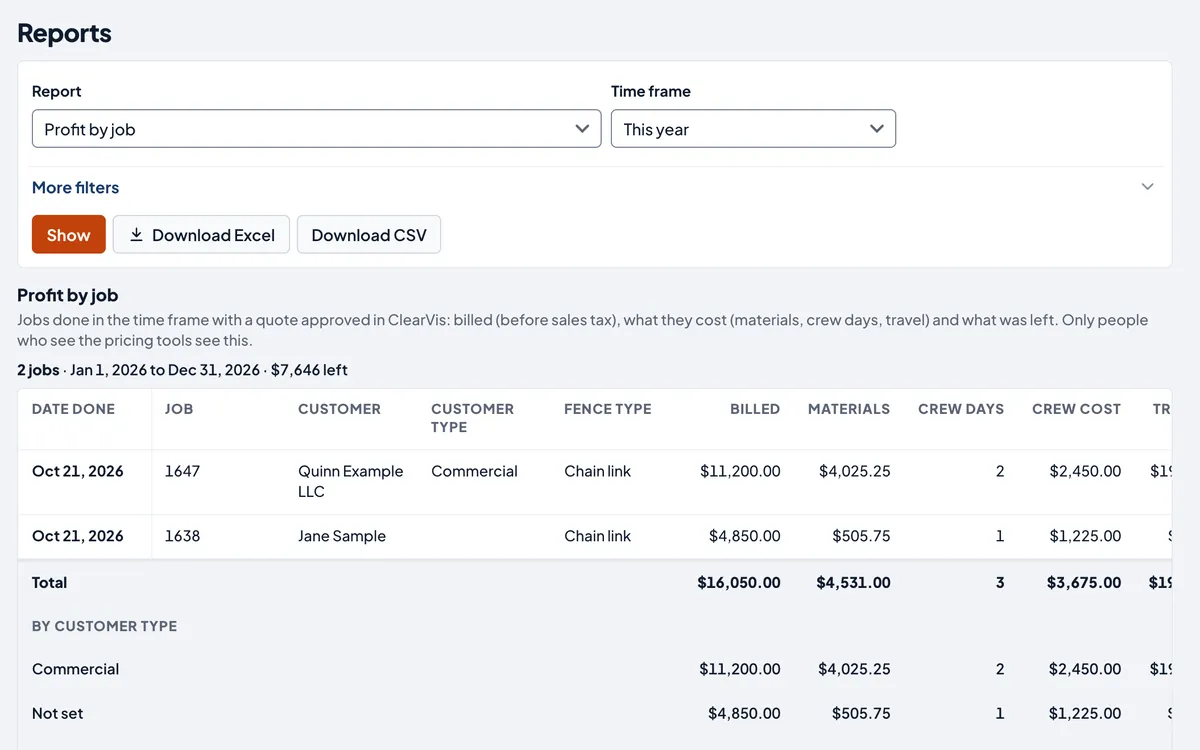
Profit by job
What each job billed, what the materials and crew days cost, and what was left.
-
Reports
Jobs completed, quoted and won. Revenue by month. Late bills. Excel or CSV.
-
The contract-bid workbook
Up to three years of job history in one Excel file, to go with a state or county bid.
On the phone
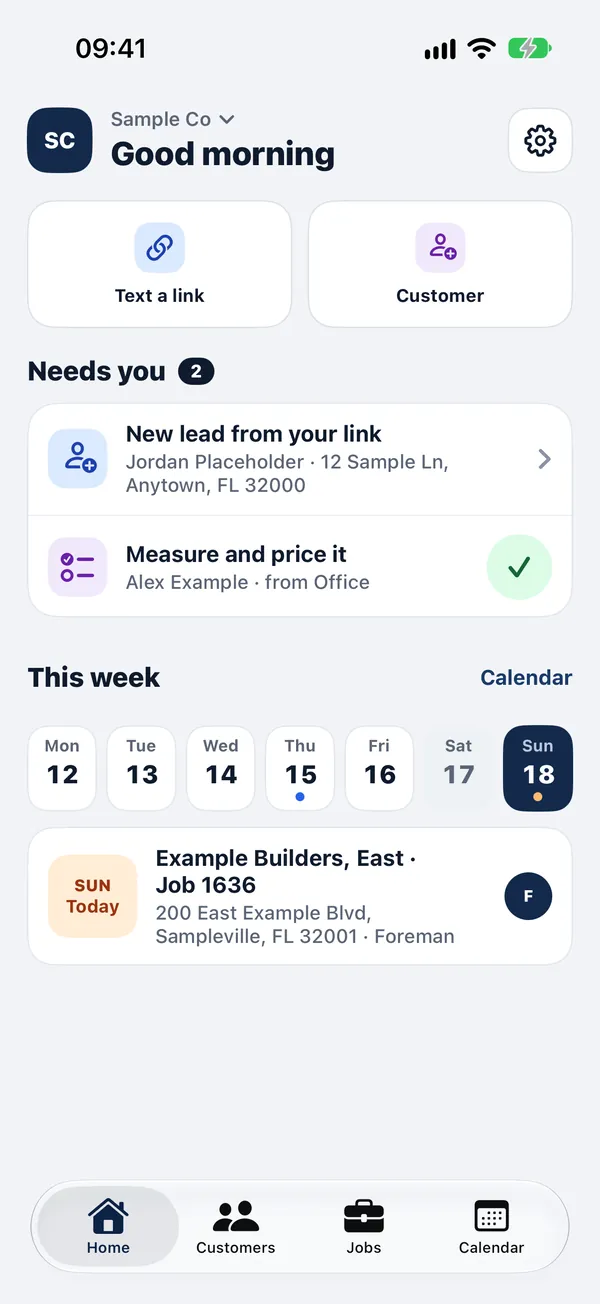
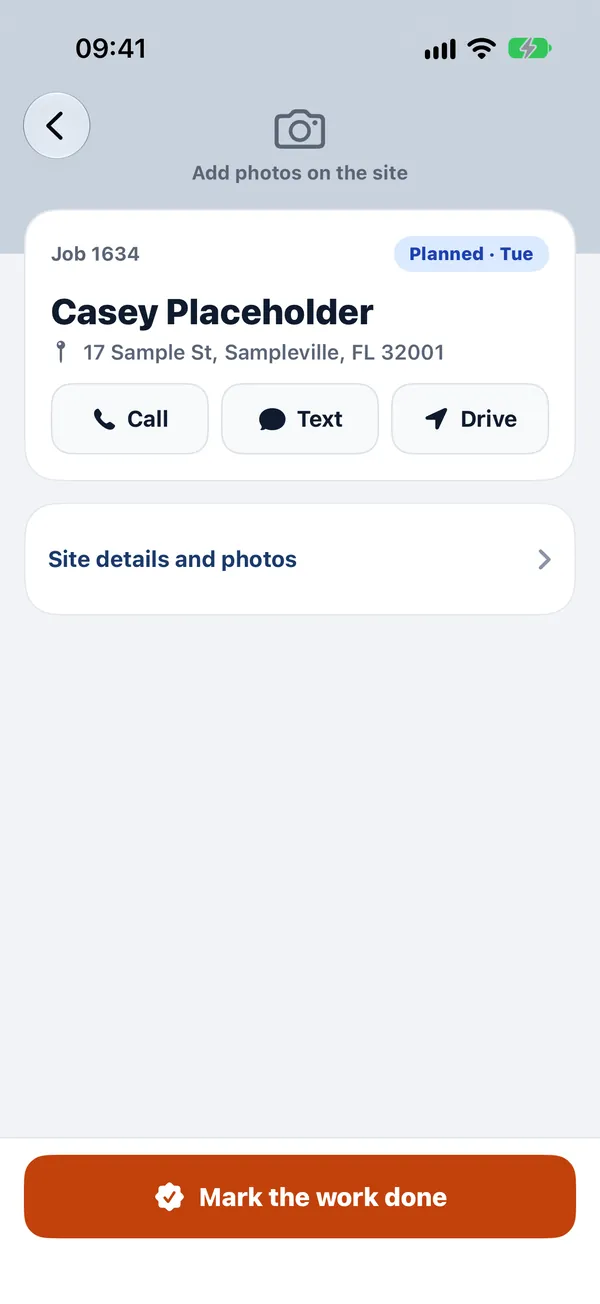
The crew sees the day. The office sees the money.
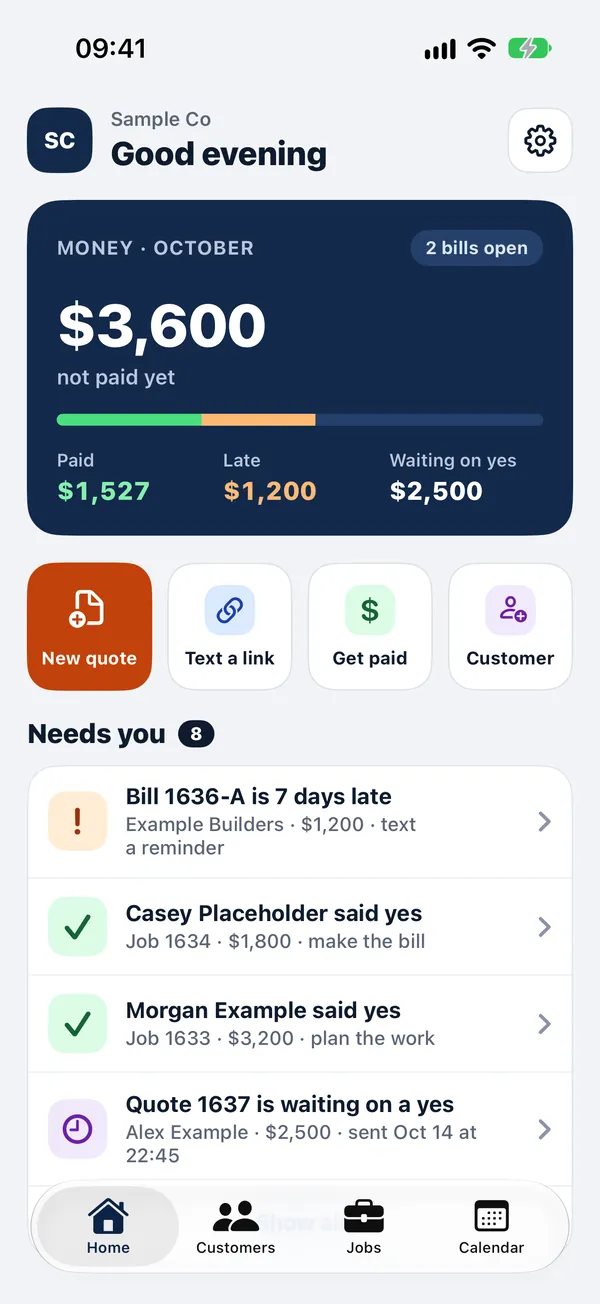
Works in any phone's browser, and the ClearVis iPhone app signs in with the same email and password. Crew never see prices or bills.
-
Notifications
On the iPhone app, a buzz when a customer says yes, a payment is recorded, a new request comes in or a job moves. One morning list of what needs a follow-up.
-
The iPhone app
In testing now through Apple's TestFlight. Until it's in the App Store, everything works in the phone's browser.
Built for trades
Your trade's words, not a generic form
Each trade gets its own kinds of work, price list and materials, in the same app.
-
Ready today
Fencing
Fence runs and gates on each site, a materials recipe that counts posts, rails and concrete, and residential and commercial customers.
-
Being built
Electrical and auto repair
Packs for both are under way, with their own price lists and kinds of work.
-
Ask about yours
Another trade?
Tell us how your office runs. If the pieces fit, we'll build your pack with you.
Pricing
One plain price
$79 a month per business
No contract. Your first month is free while we set you up together.
- Everything on this page, on the laptop and the phone
- Your customers and history brought in from QuickBooks or your files
- Set up in person, with your own prices and letterhead
- Download all your data any time
See it in person
See it at your office
Leave your name and number. We'll call to set a time, show you ClearVis on your own jobs, and answer what you ask.
- Emailhello@clearvis.app
- Already a customer?Sign in or open the Help center.